




Key Tips Discussed in This Blog
- IP ratings tell you about specific types of protection, with the first digit referring to solids and dust and the second referring to water exposure.
- Manufacturer guidance matters as much as the rating, especially when determining whether a medical alert device can be worn in the shower, bathtub, or other wet environments.
- Everyday habits should guide the choice, so seniors can keep their medical alert device accessible during activities when they may need support.
Medical alert devices are designed to help older adults stay connected to support throughout their daily routines. For many seniors, that includes time spent in places where water is present, such as the bathroom, shower, or kitchen.
That makes water resistance an important consideration when choosing a medical alert device for seniors. However, terms such as “waterproof,” “water resistant,” and “shower safe” do not always mean the same thing and can carry their own distinctions.
One of the clearest ways to compare water protection is through an IP rating. Ratings like IP65 and IP67 indicate how well a device is protected against dust and water under specific testing conditions. Knowing the difference can help seniors and caregivers choose a device that better fits their everyday needs without assuming it can safely withstand all types of water exposure.
What Do Waterproof Ratings Mean?
IP stands for Ingress Protection. The rating system is defined by the International Electrotechnical Commission (IEC) and indicates how well an electrical device’s enclosure protects against solid objects and liquids.
An IP rating usually includes two numbers:
- The first digit indicates protection against solid foreign objects, such as dust.
- The second digit refers to protection against water.
For example, both IP65 and IP67 begin with a 6. In the IP system, this represents the highest level of protection against dust ingress.
The second number is where the water-resistance difference appears.
An important distinction is that an IP rating reflects performance under defined testing conditions. It does not mean a product can withstand every water-related situation.
Hot water, soaps, chemicals, water pressure, extended immersion, and repeated exposure may affect devices differently. Seniors and caregivers should therefore consider both the IP rating and the manufacturer’s instructions when determining where a device can be worn safely.
This is also why the term waterproof medical alert system should be interpreted carefully. A specific IP rating and manufacturer-approved use offer more useful information than the word “waterproof” alone.
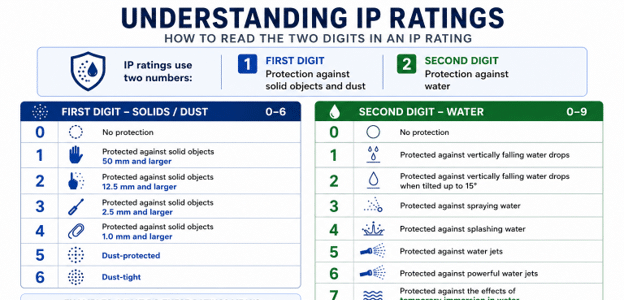
IP65 vs. IP67: Key Differences
The graphic above shows how IP ratings are structured. When comparing IP65 and IP67 specifically, the main difference is the type of water exposure each rating addresses.
Both ratings begin with 6, meaning the enclosure is dust-tight. The difference is the second digit: 5 indicates protection against water jets, while 7 indicates protection against temporary immersion.
That does not mean an IP67 device is automatically suitable for every water-related activity. IP ratings describe performance under defined test conditions, so manufacturer guidance still matters.
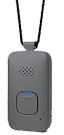
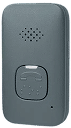
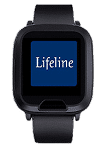
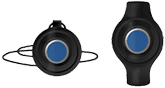
For example, at Lifeline Canada, our On the Go Mini is rated IP67 and is designed for submersion in up to one metre of water for up to 30 minutes. That additional information tells users more than the rating alone.
A higher IP rating should not be interpreted as permission to swim, use a hot tub, or expose a device to water indefinitely unless the manufacturer specifically approves those activities.
For seniors and caregivers comparing an IP65 vs IP67 medical alert device, the most useful question is not simply, “Which rating is higher?” It is, “Does the device’s approved use match the senior’s everyday routine?”
Are Medical Alert Devices Safe to Wear in the Shower?
Some medical alert devices are designed to be worn in the shower, while others have more limited water resistance.
Checking the specifications for the exact model is essential.
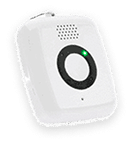
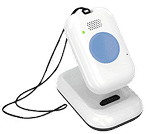
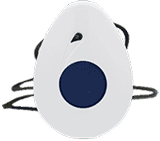
The Lifeline Canada On the Go device may be worn in the bathtub or shower. Our HomeSafe with Fall Detection pendant is water resistant and suitable for shower use, but it is not designed for submersion.
That distinction demonstrates why “water resistant,” “shower safe” and “submersible” should not automatically be treated as interchangeable terms.
Before wearing any medical alert device around water, check whether the manufacturer permits use during:
- Showering
- Bathing
- Full or temporary immersion
- Swimming
- Hot-tub use
- Charging or handling while the device is wet
It can also be helpful to review any drying or care instructions after the device has been exposed to water.
A shower-safe medical alert device can be especially useful because seniors do not have to remove it before showering. A device left elsewhere cannot provide the same immediate access to help when needed.
Why Water Resistance Matters for Senior Safety
Bathrooms deserve particular attention when planning for safety at home.
Health Canada identifies bathrooms as one of the areas where older adults may face increased fall hazards. Wet surfaces, bath mats, tubs, shower thresholds, and activities such as getting into or out of a bath can all increase risk.
Water-resistant alert devices do not prevent falls. They can, however, help ensure that access to support remains nearby during activities where removing a device could leave a senior without it.
Water resistance should be part of a broader bathroom safety plan. Other measures can include:
- Non-slip surfaces
- Properly installed grab bars
- Adequate lighting
- Uncluttered floors
- Bath or shower seats where appropriate
- Mobility supports recommended by a healthcare professional
For more ideas, Lifeline’s 5 Important Fall Prevention Tips for Older Adults and Common Causes of Falls in Seniors cover additional ways to reduce everyday fall risks.
For some older adults, there may also be hesitation about wearing a medical alert device because it can feel like a sign of declining independence. In practice, the goal is the opposite: choosing support that fits within a senior’s normal routine can help protect independence by keeping assistance accessible when needed.
How to Choose the Right Medical Alert Device
Water resistance is important, but it is only one feature to consider.
The right device should fit the senior’s routines, mobility, comfort level, and potential risks at home and away from home.
Our guide to choosing the right medical alert system for seniors can help families consider the broader factors involved.
When comparing options, this checklist can provide a useful starting point.
Medical Alert Device Feature Checklist
| ☐ Clear guidance about bathing, immersion, swimming and hot tubs
☐ A wearable format that is comfortable for daily use ☐ A simple, accessible help button ☐ Automatic fall detection, when appropriate ☐ Coverage suited to use at home, away from home or both ☐ Manageable battery life and charging requirements ☐ Two-way communication where included ☐ Access to trained response support ☐ Instructions that are easy for seniors and caregivers to follow |
Consistent use matters as much as specifications. Even a highly water-resistant device offers limited value if it is uncomfortable, difficult to use, or regularly left behind.
Families may also want to review our guide to the best fall detection devices for seniors when comparing features beyond water resistance.
When looking at Lifeline options, seniors and caregivers can compare at-home and mobile devices based on how and where support is needed rather than focusing on a single feature in isolation.
Choosing Protection That Fits Everyday Life
IP ratings can make it easier to compare the water resistance of medical alert devices, but the rating is only part of the decision.
The most suitable device is one whose approved uses align with a senior’s everyday activities and whose features are comfortable and practical enough for consistent use.
By looking at water resistance alongside coverage, fall detection, ease of use, and other safety needs, seniors and caregivers can choose support that helps protect both safety and independence.
Frequently Asked Questions
Is IP67 better than IP65 for a medical alert device?
IP67 provides protection against temporary immersion under specified test conditions, while IP65 provides protection against water jets. However, the better choice depends on how the device will be used and what types of water exposure the manufacturer permits.
Can I shower with an IP67 medical alert device?
Not necessarily. An IP67 rating alone does not automatically confirm that a particular device is approved for shower use. Always follow the manufacturer’s instructions for the specific product.
Does water resistant mean waterproof?
Not always. “Water resistant” can describe varying levels of protection. An IP rating and the manufacturer’s usage guidance give a clearer indication of what a device has been designed and tested to withstand.
Can medical alert devices be worn in the bath?
Some can, while others are intended for shower use without being designed for full submersion. Check the specifications of the exact device before wearing it in a bathtub.
About the Author
What You Should Do Now:
Here are 5 ways we can help you or your loved one live safer and more independently at home as long as possible:
- Get our latest tips, tools and resources straight to your inbox. Sign up for our monthly newsletter.
- Not sure if the time is right for a medical alert service? Take this quick assessment to find out.
- If you would like to learn how to live a healthier and safer lifestyle, go to our blog or visit our resources section, where you can read and download guides.
- Wondering which medical alert system company is the best for your needs? We’ve put together a guide comparing the best medical alert systems for you.