





Key Tips Discussed in This Blog
- Fall detection apps can support safety planning, but they often depend on smartphone access, battery life, specific settings, and connectivity.
- Medical alert systems are built for emergency response, with wearable help buttons, fall detection options, and access to trained support.
- Reliability depends on more than detection, including whether the device is worn, charged, connected, and easy to use after a fall.
- The right option should support independence, whether that means an app, a traditional medical alert system, or a smartwatch-style medical alert device.
For seniors and caregivers, comparing a fall detection app to a medical alert system often begins with a practical question: will this option help ensure the right support is available when it is needed most?
Fall detection apps for seniors can be helpful tools within a broader safety plan. Many use a smartphone or smartwatch to detect movement patterns that may suggest a fall, then prompt the user or alert selected contacts. They can be appealing because they are familiar, often affordable, and may already be available on a device someone owns.
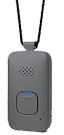
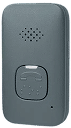
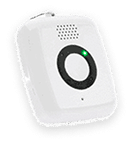
Medical alert systems are specifically designed for emergency support. They typically include a wearable help button, two-way communication, fall detection options, location support for mobile devices, and access to trained response support.
Falls are a serious concern for older adults in Canada. The Public Health Agency of Canada reports that falls are the main reason for injury-related hospital visits and deaths among older adults. It also notes that falls cause 89% of injury-related hospitalizations for both men and women, and that deaths due to falls increased by 51% from 2017 to 2022. These numbers make it important to choose technology that fits a person’s health needs, comfort level, mobility, and daily routine.
What Are Fall Detection Apps?
Fall detection apps are mobile applications designed to detect movement that may indicate a fall. They are often used with smartphones, smartwatches, or other wearable devices that include motion sensors. If a possible fall is detected, the app may prompt the user to confirm they are okay, call emergency services, or notify pre-set emergency contacts.
Some smartphones and smartwatches include fall detection or emergency SOS features as part of their operating system. For example, compatible Apple Watch models include Fall Detection, though Apple notes that the feature cannot detect all falls and may identify some high-impact activities as falls.
The main benefit of smartphone fall detection is convenience. If a senior already carries a phone or wears a smartwatch, an app may feel like an easy way to add another safety feature. However, apps generally work best when the device is charged, nearby, connected, properly set up, and worn or carried consistently.
How Medical Alert Systems Work
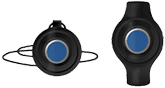
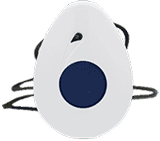
Medical alert systems are designed to help users request assistance quickly. Depending on the system, a senior may wear a pendant, wristband, smartwatch-style device, or mobile help button. When the button is pressed, the user is connected with a trained response associate who can assess the situation and contact the appropriate support.
That support may include a family member, neighbour, caregiver, or emergency services, depending on the user’s needs and preferences. Some systems also include fall detection technology designed to place an alert when a fall is detected, and the user may not be able to press the button.
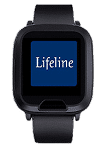
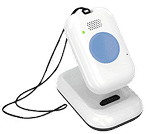
Lifeline offers options for different routines, including HomeSafe with Fall Detection for at-home support, On the Go with Fall Detection for active seniors, and the Lifeline On the Go Smartwatch for those who prefer a watch-style device.
Key Differences Between Fall Detection Apps and Medical Alert Systems
The biggest difference is the response process. A fall detection app may call emergency services or notify a list of contacts. A medical alert system connects the user with trained response support that can help determine what kind of assistance is needed.
| Feature | Fall Detection App | Medical Alert System |
| Primary purpose | Detect possible falls using a phone or wearable | Connect users with emergency support |
| Device needed | Smartphone or smartwatch | Pendant, wristband, mobile device, or smartwatch-style device |
| Help request | App alert, emergency call, or contact notification | Help button and/or fall detection alert |
| Response support | Usually 911 or pre-set contacts | Trained response associate |
| Smartphone required | Typically, yes | Rarely |
| Fall detection | Available on some apps/devices | Available on select systems |
| Location support | Depends on phone settings and connectivity | Available on many mobile medical alert devices |
| Best suited for | Tech-comfortable users seeking an added safety layer | Seniors who need simpler emergency access and response support |
Fall detection apps may be useful for seniors who are comfortable managing settings and charging routines. Medical alert systems may be a better fit when the priority is simple access to support, especially for seniors who live alone, have mobility concerns, or may not always have a phone within reach.
Reliability and Accuracy Comparison
No fall detection technology is perfect. Apps, smartwatches, and medical alert systems all rely on sensors and algorithms to identify movement patterns that may suggest a fall. Some falls may not be detected, and some everyday movements may be misread as falls.
Device placement can also affect reliability. A smartphone may be in a purse, on a counter, in another room, or left charging. A wearable medical alert device is intended to stay on the body, which may make it more available during an emergency. Traditional pendants worn near the chest may also sit closer to the body’s centre of gravity than a phone in a pocket or a watch on the wrist, which can be relevant for movement detection.
Accuracy is only one part of reliability. A device also needs to be charged, connected, worn correctly, and simple enough to use during a stressful moment. Seniors and caregivers should treat fall detection as added support, not a guarantee.
Emergency Response Support Compared
When a fall occurs, detection is only the first step. The next question is: who responds?
Many fall detection apps are designed to call 911 or notify pre-set emergency contacts. This can be helpful, but it may place responsibility on family members, neighbours, or caregivers to interpret the alert and decide what to do. If contacts are unavailable, miss the alert, or are unsure where the person is, the response may be delayed.
Medical alert systems are built around a more structured response process. When an alert is triggered, a trained response associate can speak with the user, assess what is happening, and contact the right support. This can be valuable if the senior is frightened, disoriented, injured, or unable to explain the situation clearly.
For caregivers, this can provide peace of mind while helping seniors maintain independence. The goal is not to limit daily activity, but to make support easier to access when something unexpected happens.
Smartphone Dependency and Accessibility
Smartphone dependency is one of the main limitations of fall detection apps. Apps usually require the phone to be charged, carried, connected to cellular service or Wi-Fi, and set up correctly. Some features may also depend on location permissions, emergency contact settings, Bluetooth, or software updates.
This may work well for seniors who always carry a charged smartphone and are comfortable using apps. It can be less reliable for someone who leaves their phone in another room, has difficulty navigating screens, or does not consistently wear a connected device.
Medical alert systems are often simpler because they are designed around one main action: pressing a help button. Lifeline’s On the Go Smartwatch, for example, does not require smartphone pairing and offers a more familiar watch-style option while still providing access to response support.
Cost Comparison
Fall detection apps may appear more affordable at first, especially if the user already owns a compatible smartphone or smartwatch. Some apps are free, while others require a subscription. However, the total cost may also include the device, cellular service, data plan, accessories, replacement costs, and time spent managing settings.
Medical alert systems usually involve an ongoing service fee because they include response support, equipment, fall detection options, and service processes. The cost may be higher than that of an app, but the value is different. Families are not only paying for technology; they are paying for access to a response process designed for emergencies.
The better question to ask is which option the senior will use consistently and which one provides the right level of support for their situation.
Which Option Is Best for Seniors?
The best option depends on the person’s health, fall risk, comfort with technology, living situation, and daily routine.
A fall detection app may fit a senior who reliably carries a charged smartphone, is comfortable with apps, and wants an added safety layer.
A medical alert system may be better for someone who wants simpler access to help, lives alone, has a history of or a fear of falls, or may not always be able to reach a phone. For seniors who prefer a more familiar look, a medical alert smartwatch can offer a practical middle ground by combining watch-style wearability with emergency access and response support.
Can Fall Detection Apps Replace a Medical Alert System?
For some seniors, a fall detection app may be enough as part of a larger safety plan. For others, especially those with higher fall risk, mobility concerns, cognitive changes, or limited caregiver availability, an app may not provide enough support on its own.
A fall detection app may help identify a possible fall, but it usually depends on the smartphone or smartwatch being present, charged, connected, and configured correctly. It may also depend on contacts being available to respond. A medical alert system is designed more directly around getting help, with wearable access and trained response support.
Fall prevention should also include practical home and health measures. The Government of Canada recommends steps such as improving lighting, removing tripping hazards, using safety aids where needed, staying active, and reviewing medications or vision concerns with healthcare providers.
Support That Fits the Way You Live
Fall detection apps can be helpful tools, but they are only one part of a senior safety plan. For some people, they may provide useful reassurance. For others, a dedicated medical alert system may offer a better fit because it is designed specifically for emergency access and response support.
The right choice is the one a senior will use consistently, feel comfortable wearing, and trust in daily life. Whether that is an app, a traditional medical alert system, or a medical alert smartwatch, the goal should be the same: supporting independence while making help easier to reach.
Frequently Asked Questions
Are fall detection apps for seniors reliable?
They can be helpful, but reliability depends on the device, app, settings, battery life, connectivity, and how consistently the phone or wearable is carried. No fall detection option can detect every fall.
Does smartphone fall detection call 911?
Some smartphone or smartwatch features can call emergency services, while others may notify pre-set contacts. The exact process depends on the device, app, and user settings.
Is a medical alert system better than a fall detection app?
It depends on the user’s needs. A fall detection app may work for someone who is tech-comfortable and consistently carries a charged device. A medical alert system may be better for someone who wants easier access to trained response support.
Do medical alert systems require a smartphone?
Not always. Some medical alert systems work without smartphone pairing or app downloads. This can make them easier for seniors who do not use smartphones regularly.
Can fall detection prevent falls?
Fall detection does not prevent falls. It is designed to help alert others after a fall may have occurred. Fall prevention also includes exercise, home safety, medication review, vision care, and other healthy aging strategies.
About the Author
What You Should Do Now:
Here are 5 ways we can help you or your loved one live safer and more independently at home as long as possible:
- Get our latest tips, tools and resources straight to your inbox. Sign up for our monthly newsletter.
- Not sure if the time is right for a medical alert service? Take this quick assessment to find out.
- If you would like to learn how to live a healthier and safer lifestyle, go to our blog or visit our resources section, where you can read and download guides.
- Wondering which medical alert system company is the best for your needs? We’ve put together a guide comparing the best medical alert systems for you.