





Key Tips Discussed in This Blog
- Emergency support needs should guide the decision, as smartwatches may offer helpful wellness features while medical alert systems are designed specifically to help seniors request assistance.
- Fall detection is helpful but not guaranteed, so seniors and caregivers should also consider how easily the user can call for help when needed.
- Ease of use and reliability matter every day, especially when a device needs to be worn consistently, charged regularly, and is simple to use during a stressful moment.
- The right device should support independence, whether that means at-home coverage, on-the-go protection, or a smartwatch-style option with access to trained response support.
For many seniors and caregivers, choosing between a medical alert system and a smartwatch comes down to one question: what kind of support is needed in an emergency?
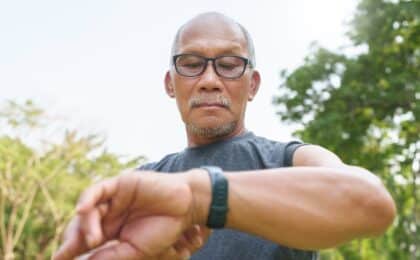
A smartwatch for seniors can help with everyday wellness. Depending on the model, it may include step tracking, heart rate measurement, emergency calling, and fall detection. For seniors who are comfortable with technology, a smartwatch can feel familiar and convenient.
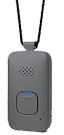
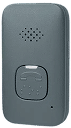
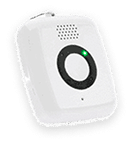
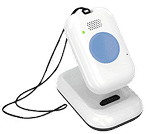
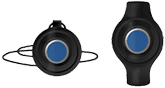
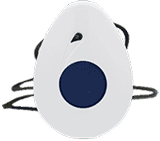
Medical alert systems are designed more specifically for safety. They help seniors request assistance quickly and may include a wearable help button, two-way communication, fall detection, GPS/location support, and access to trained response support.
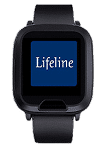
The Lifeline On the Go Smartwatch brings these needs together by combining the familiar look and feel of a smartwatch with Lifeline’s medical alert service. It offers step tracking and heart rate measurement, and provides 24/7/365 access to assistance via a simple help button.
Falls are a serious concern for older adults in Canada. The Public Health Agency of Canada reports that falls are the main reason for injury-related hospital visits and deaths among older adults. It also notes that falls cause 89% of injury-related hospitalizations for both men and women, and that deaths due to falls increased 51% from 2017 to 2022. These numbers make it important to choose a device that fits a person’s health needs, comfort level, and daily routine.
What Is the Difference Between a Medical Alert System and a Smartwatch?
A smartwatch is a general-purpose wearable. It may support calls, texts, apps, activity tracking, heart rate monitoring, fall detection, or emergency SOS features. Compatible Apple Watch models, for example, include Fall Detection, though Apple notes that the watch cannot detect all falls.
A medical alert system is built specifically for emergency access. Some systems are designed for at-home use, while others support active seniors outside the home with mobile coverage and location technologies.
The table below compares traditional medical alert systems, consumer smartwatches, and the Lifeline On the Go Smartwatch.
| Feature | Traditional Medical Alert System | Consumer Smartwatch | Lifeline On the Go Smartwatch |
| Primary purpose | Emergency access and safety support | Health, fitness, communication, apps | Medical alert support in a smartwatch-style device |
| 24/7/365 access to assistance | Yes, depending on service | Usually no direct medical alert response support | Yes, connects users to Lifeline 24/7/365 |
| How help is requested | Press a help button on a pendant, wristband, or base unit | Use emergency SOS features, depending on device settings | Press and hold the help button for 3 seconds |
| Two-way communication | Available on many systems | Available if connected and properly set up | Built-in microphone and speaker connect users with a trained Lifeline Response Associate |
| Fall detection | Available on select devices | Available on select models | Automatic Fall Detection technology is designed to connect users with Lifeline for help |
| GPS/location support | Available on mobile options | Available on select cellular/GPS models | GPS and Wi-Fi location technology help Lifeline send assistance to the user’s location |
| Smartphone required | Usually no | Often required for setup or full functionality | No smartphone pairing or app downloads required |
| Cellular service | Depends on the system | May require a cellular plan for full emergency features | 4G LTE keeps users connected without a cellular contract or landline |
| Health and activity features | Limited or not included | Often includes activity and health tracking | Step tracking, mobility tracking, and heart rate measurement |
| Ease of use | Often simple, button-based | May require comfort with apps, settings, and touchscreens | Senior-friendly design with large time display, battery status, voice prompts, and vibration alerts |
| Wearability | Pendant or wristband options | Watch-style design | Lightweight silicone watchband; waterproof design for showering or bathing |
How Medical Alert Systems Work During Emergencies
Medical alert systems are designed to make requesting help simple. In many cases, the user presses a help button on a pendant, wristband, mobile device, or smartwatch-style device. The system connects the user with a trained Response Associate who can assess the situation and contact the right support.
That support may be a family member, neighbour, caregiver, or emergency services, depending on the user’s needs and preferences.
This response process is one of the biggest differences between a dedicated medical alert system and many consumer smartwatches. A smartwatch may help call emergency services or notify contacts, but a medical alert system adds trained response support to the process.
Lifeline offers different options depending on a person’s routine, including HomeSafe for at-home support and On the Go with Fall Detection for support at home and away from home.
How Smartwatches Support Health and Safety Monitoring
Smartwatches can support wellness and convenience. They may help seniors track steps, check heart rate, receive reminders, view notifications, or use emergency calling features.
For seniors who already use digital devices, these features can be helpful. However, emergency support may depend on settings, connectivity, battery life, device model, and the user’s ability to interact with the watch during a stressful situation.
This is where it helps to look beyond the word “smartwatch.” A general consumer smartwatch may include health and emergency features, while a medical alert smartwatch is designed more specifically around access to assistance.
Comparing Emergency Response Capabilities
Emergency response is where the differences become clearer.
A consumer smartwatch may be useful if the wearer knows how to activate emergency features, has the device charged, and has the right connectivity.
A dedicated medical alert system is usually more direct. It is designed around a help button and a defined response process.
The Lifeline On the Go Smartwatch bridges these options. It provides the look and feel of a smartwatch, but it is integrated with Lifeline’s medical alert service. Users press and hold the help button for 3 seconds to connect with Lifeline through the watch’s built-in microphone and speaker. A trained Response Associate can assess the situation and contact the right support.
Comparing Fall Detection Features
A fall detection watch can be valuable, but no fall detection technology can detect every fall. Performance may depend on the type of fall, how the device is worn, whether it is charged, and whether it is connected.
Medical alert systems with fall detection are designed specifically with emergency response in mind. Lifeline’s HomeSafe with Fall Detection is designed to automatically detect many true falls and provide access to help when the user may not be able to press the button.
The Lifeline On the Go Smartwatch also includes Automatic Fall Detection technology designed to quickly connect users to a Lifeline Personal Response Associate for help. Because fall detection is not guaranteed to detect every fall, seniors should press the help button whenever possible if they need assistance.
Ease of Use for Seniors
Ease of use matters. A device only helps if it is worn, charged, and used correctly.
Some seniors are comfortable using touchscreens, apps, and settings. Others may find these features difficult, especially during an emergency. Medical alert systems are generally simpler because they are built around one main action: press for help.
For seniors who like the idea of a watch but need medical alert support, the Lifeline On the Go Smartwatch may be a practical compromise. It offers a senior-friendly design with a large time display, battery status, voice prompts, vibration confirmation, and alerts when it is time to recharge.
Battery Life and Reliability Considerations
Battery life affects reliability. Many consumer smartwatches require regular charging. If the watch is charging during a fall or an emergency, it cannot help.
Medical alert devices also need charging or power, but they are designed for safe use. Caregivers may want to consider whether the user will charge the device regularly, wear it consistently, and remember to put it back on after charging.
The Lifeline On the Go Smartwatch displays battery status and provides recharge alerts. It also uses 4G LTE technology without requiring a separate cellular contract or landline service, while GPS and Wi-Fi location technology help Lifeline send assistance to the user’s location.
Cost Comparison
Cost can vary widely.
A consumer smartwatch may involve an upfront purchase, optional cellular fees, accessories, and replacement costs. Some features may also depend on having a compatible smartphone or cellular plan.
A medical alert system often includes an ongoing service fee because it provides access to response support, equipment support, and emergency assistance processes.
The least expensive option is not always the best fit. The better question is: what support is included, and will the senior use the device every day?
Which Option Is Right for You?
A consumer smartwatch may be a good fit for a senior who is comfortable with technology, wants fitness and communication features, and can reliably keep the device charged.
A traditional medical alert system may be better for someone who wants simple access to help, especially at home.
A mobile medical alert device may be better for a senior who is active outside the home.
A medical alert smartwatch may be a good option for someone who wants the look and feel of a smartwatch, but with a stronger focus on emergency access.
The best choice is the one that fits the senior’s lifestyle, feels comfortable to wear, and provides the level of support the family expects.
Frequently Asked Questions
Is a smartwatch the same as a medical alert system?
No. A smartwatch is usually a general-purpose device with health, fitness, communication, and safety features. A medical alert system is designed specifically to help users request support in an emergency.
Can a smartwatch detect falls?
Some smartwatches include fall detection. However, no fall detection watch can detect every fall, and settings, device model, connectivity, and how the watch is worn may affect how features work.
What is a medical alert smartwatch?
A medical alert smartwatch is a watch-style device designed primarily for emergency access and response support. It may include a help button, two-way communication, GPS/location support, fall detection, and basic health tools.
Does the Lifeline On the Go Smartwatch need a smartphone?
No. The Lifeline On the Go Smartwatch does not require smartphone pairing or app downloads. It uses 4G LTE technology without requiring a cellular contract or landline service.
Support That Fits Daily Life
Choosing between a medical alert system and a smartwatch is about finding a device that a senior will feel comfortable wearing and confident using.
For some people, a consumer smartwatch may offer the right mix of health tracking and convenience. For others, a dedicated medical alert system may provide reassurance through direct access to trained response support. For seniors who want both a watch-style device and medical alert support, the Lifeline On the Go Smartwatch may offer a practical balance.
About the Author
What You Should Do Now:
Here are 5 ways we can help you or your loved one live safer and more independently at home as long as possible:
- Get our latest tips, tools and resources straight to your inbox. Sign up for our monthly newsletter.
- Not sure if the time is right for a medical alert service? Take this quick assessment to find out.
- If you would like to learn how to live a healthier and safer lifestyle, go to our blog or visit our resources section, where you can read and download guides.
- Wondering which medical alert system company is the best for your needs? We’ve put together a guide comparing the best medical alert systems for you.